
Clinic manpower, run like clockwork
Doctors, assistants, rooms, leave and duties on one live board - with appointments pulled straight from Plato Medical in one click. This is the Manpower Management System inside CliniCore, shown exactly as it runs.
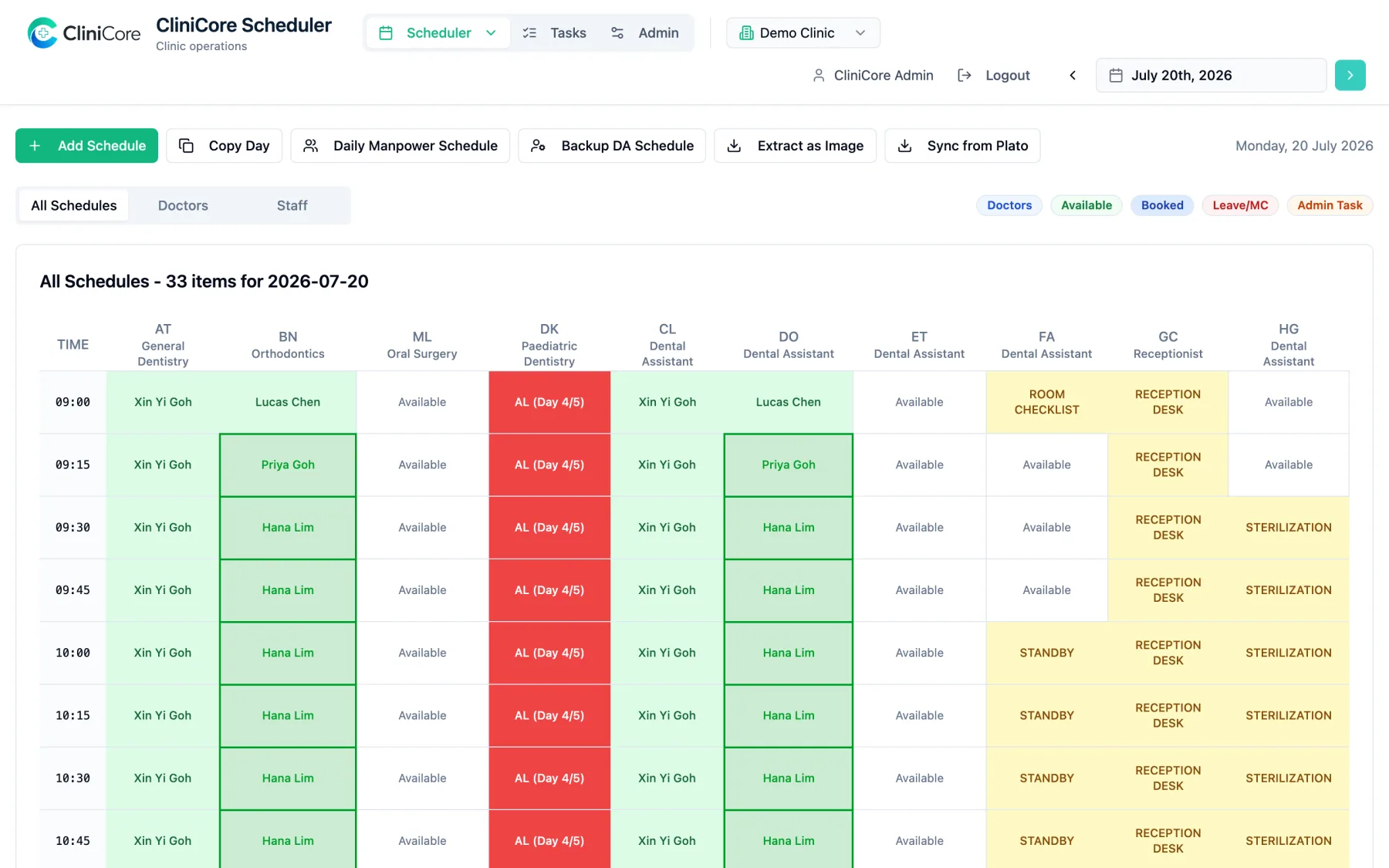
The daily board of a working demo clinic - every screenshot on this page comes from the same live demo.
The whole day on one board
Every doctor and assistant is a column; every 15 minutes is a row. A booking placed with a doctor fills the paired assistant's column too, so cover is visible at a glance - and each block carries its room's colour, so anyone can read the day from across the front desk.
- ✓Doctor and assistant booked together, shown together
- ✓Room-coloured blocks - each room owns a colour, the block wears it
- ✓One legend for Available, Booked, Leave/MC and Admin duty
- ✓All Schedules, Doctors-only and Staff-only tabs
Appointments flow in from Plato
If your clinic books in Plato Medical, the Manpower Management System meets you there. One click on Sync from Plato pulls the day's appointments onto the board - the weekly view has a Sync Week button for the whole week - matched to the right doctor through a calendar mapping you set once in Admin.
- ✓One-click sync for a day or a whole week
- ✓Plato calendars mapped to your doctors once, reused every sync
- ✓A sync lands complete or not at all - never a half-updated board
- ✓Your manual edits survive - re-syncing does not shuffle assistants
- ✓Each clinic connects its own Plato account
The sync runs on our servers with rate-limit handling built in, so a busy Plato day still comes across in one pass - no browser tab to babysit.

The manpower question, answered
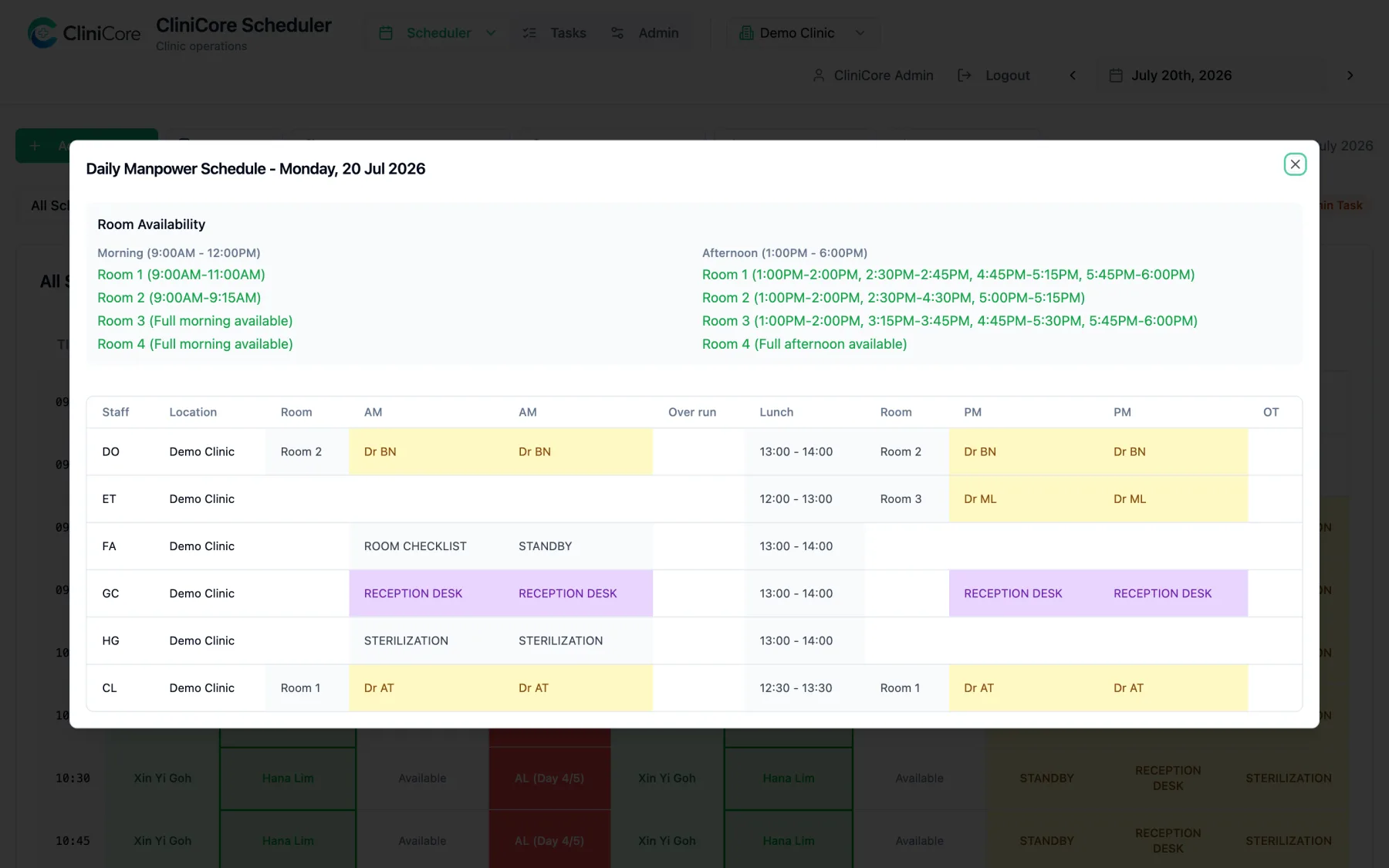
"Who is where today, and which rooms are free?" The Daily Manpower Schedule turns the day's bookings into a one-page answer: room availability for morning and afternoon, and every assistant's assignment - including till-1pm and overtime columns.
- ✓Room-by-room availability, morning and afternoon
- ✓Each assistant's doctor, room and hours on one line
- ✓Half-day leave colours only the hours it covers - mornings worked stay green
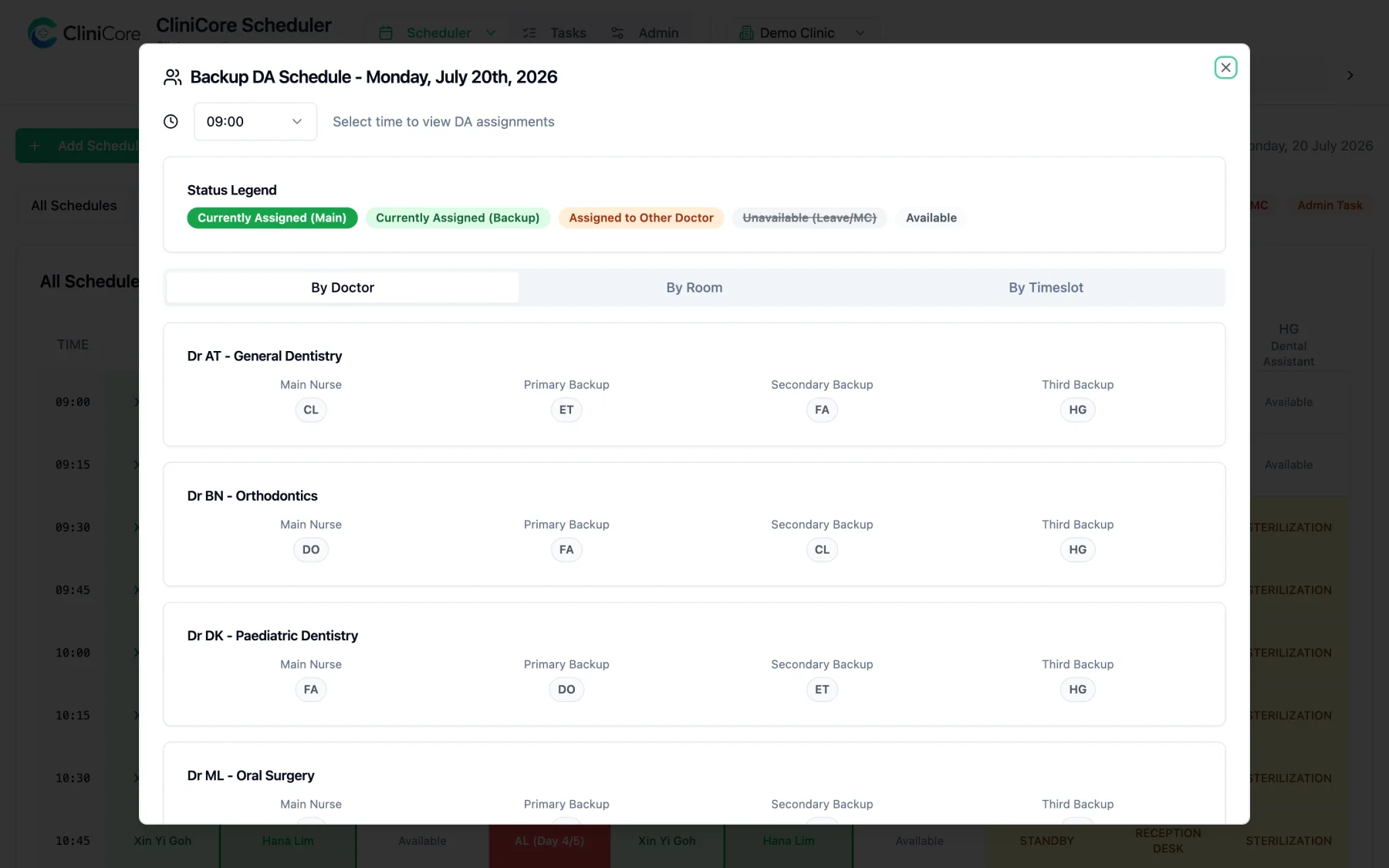
When someone is out, the board already knows who steps in
Every doctor keeps a ranked list: main assistant, then first, second and third backup. When the main assistant is on leave, new bookings auto-assign the highest-ranked backup who is actually in - and the Backup DA view shows the whole ranking with live status, by doctor, by room or by timeslot.
- ✓Four-rank preference list per doctor, set once in Admin
- ✓Auto-assignment respects leave and MC on the day
- ✓Live status: assigned, backup, taken by another doctor, unavailable
Leave that reads correctly
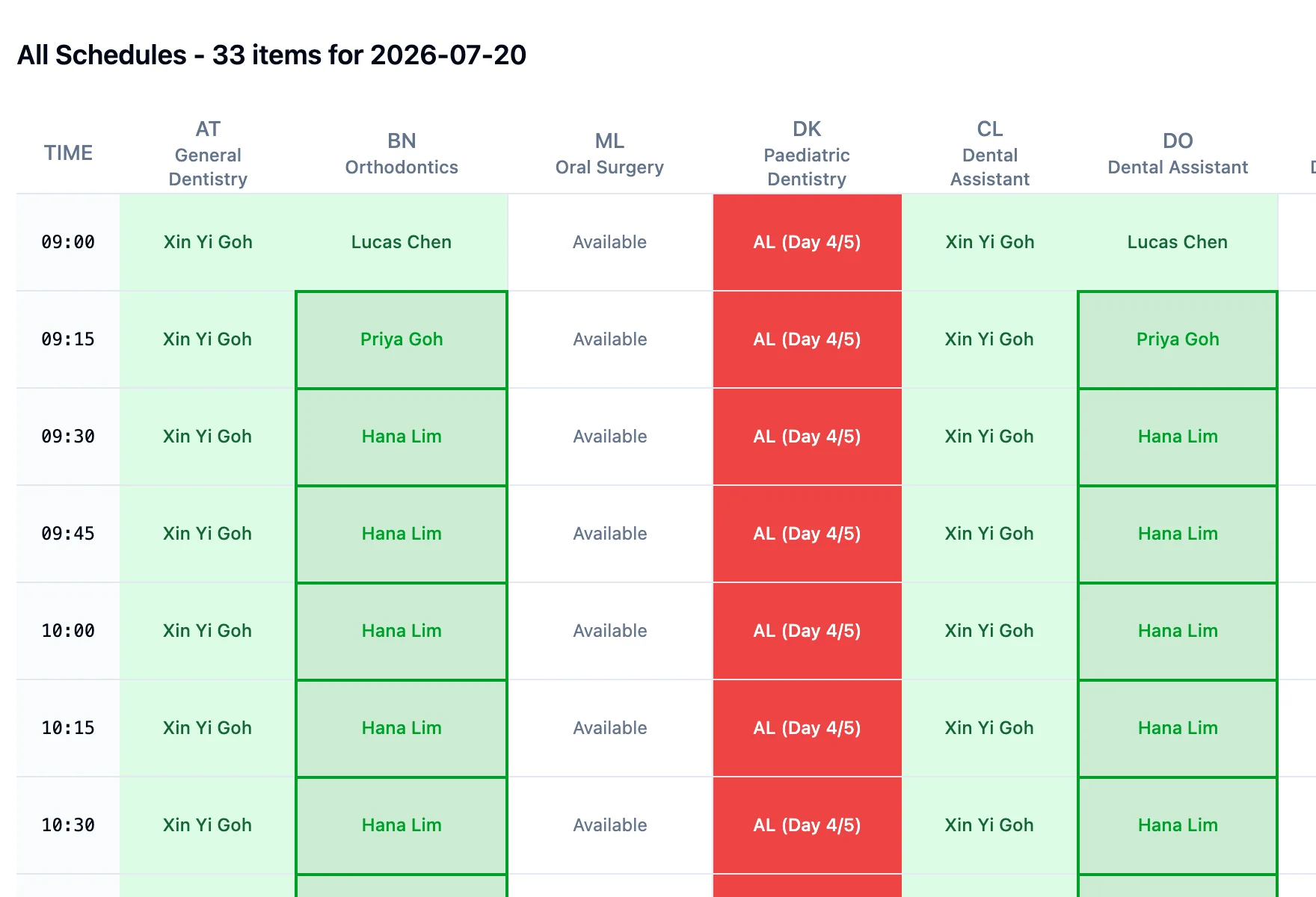
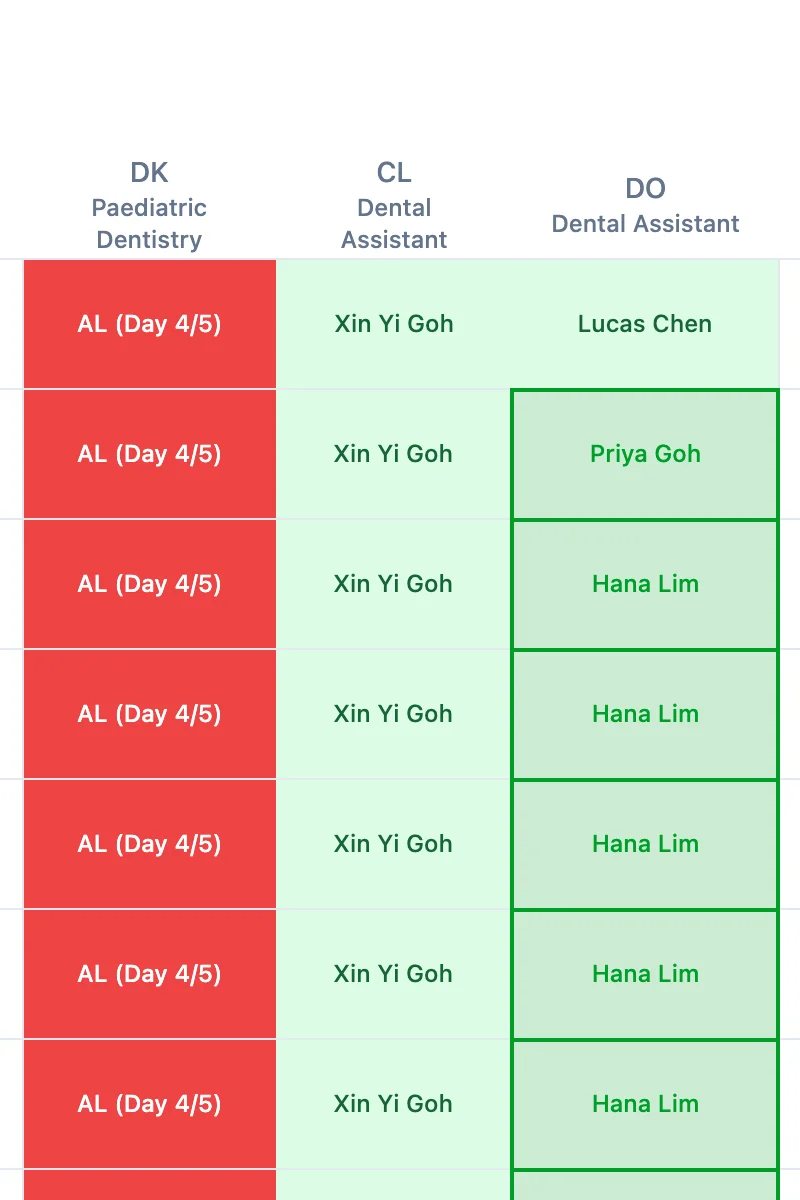
Multi-day annual leave is entered once and shows as one block with a day counter - "AL (Day 4/5)" - so nobody wonders when a doctor is back. MC renders in its own red, distinct from planned leave. And a half-day works like a half-day: the morning stays bookable, the afternoon shows leave.
- ✓Multi-day leave entered once shows a live day counter - "AL (Day 4/5)"
- ✓Half-day leave colours only the covered hours - the morning stays bookable
- ✓MC has its own red, never confused with planned leave
- ✓Leave shows everywhere it matters - daily, weekly, monthly and manpower views
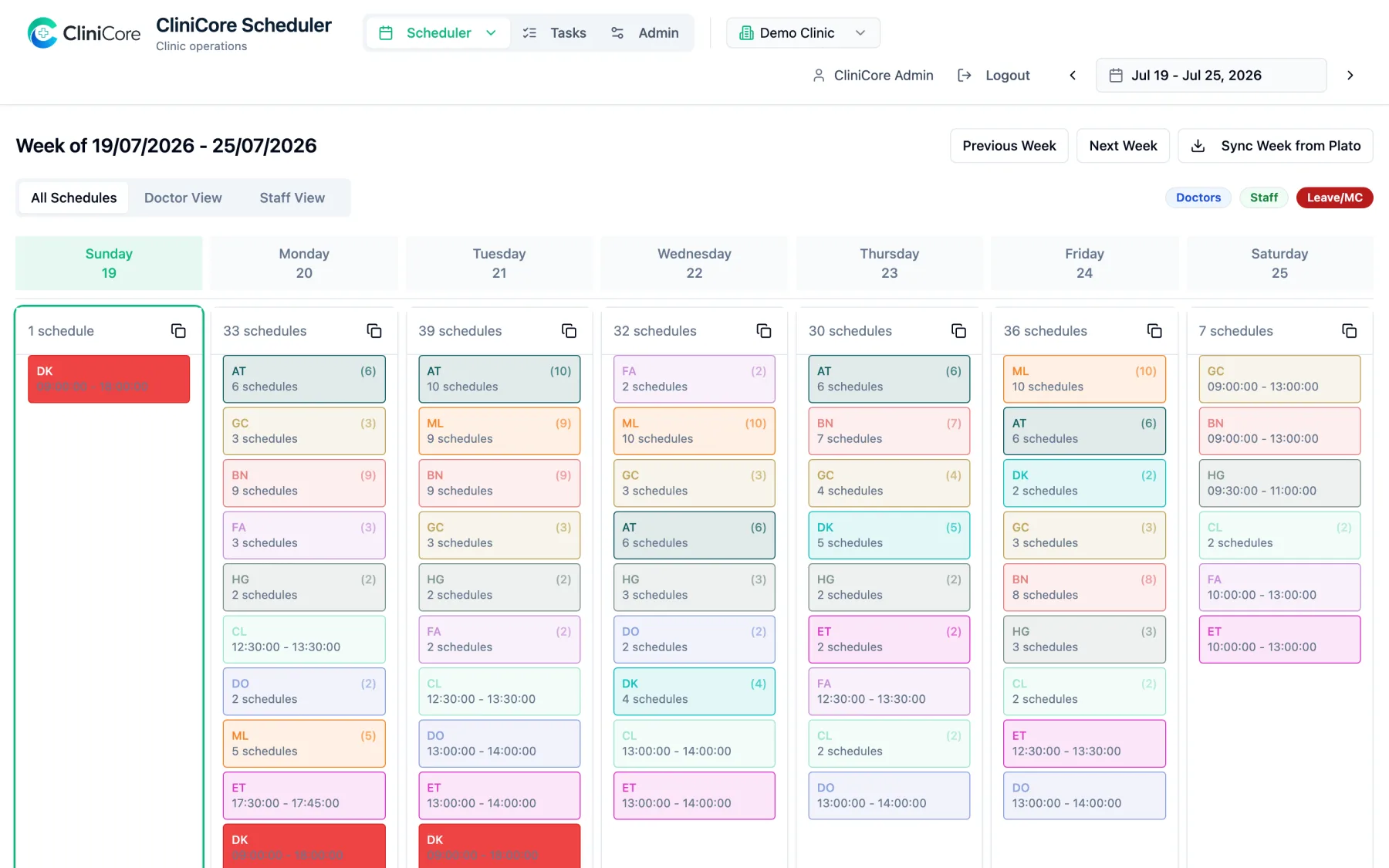
The week at a glance
Seven days across, every person's day summarised in their colour - schedule counts on busy days, exact times on lighter ones, leave blocks staying loud. It is the view for spotting a thin Thursday before it becomes Thursday's problem.
- ✓Seven days across, one colour-coded card per person per day
- ✓Busy days summarise as schedule counts; lighter days show exact times
- ✓Leave and MC blocks stay loud across the whole week
- ✓Sync Week from Plato fills the week in one click
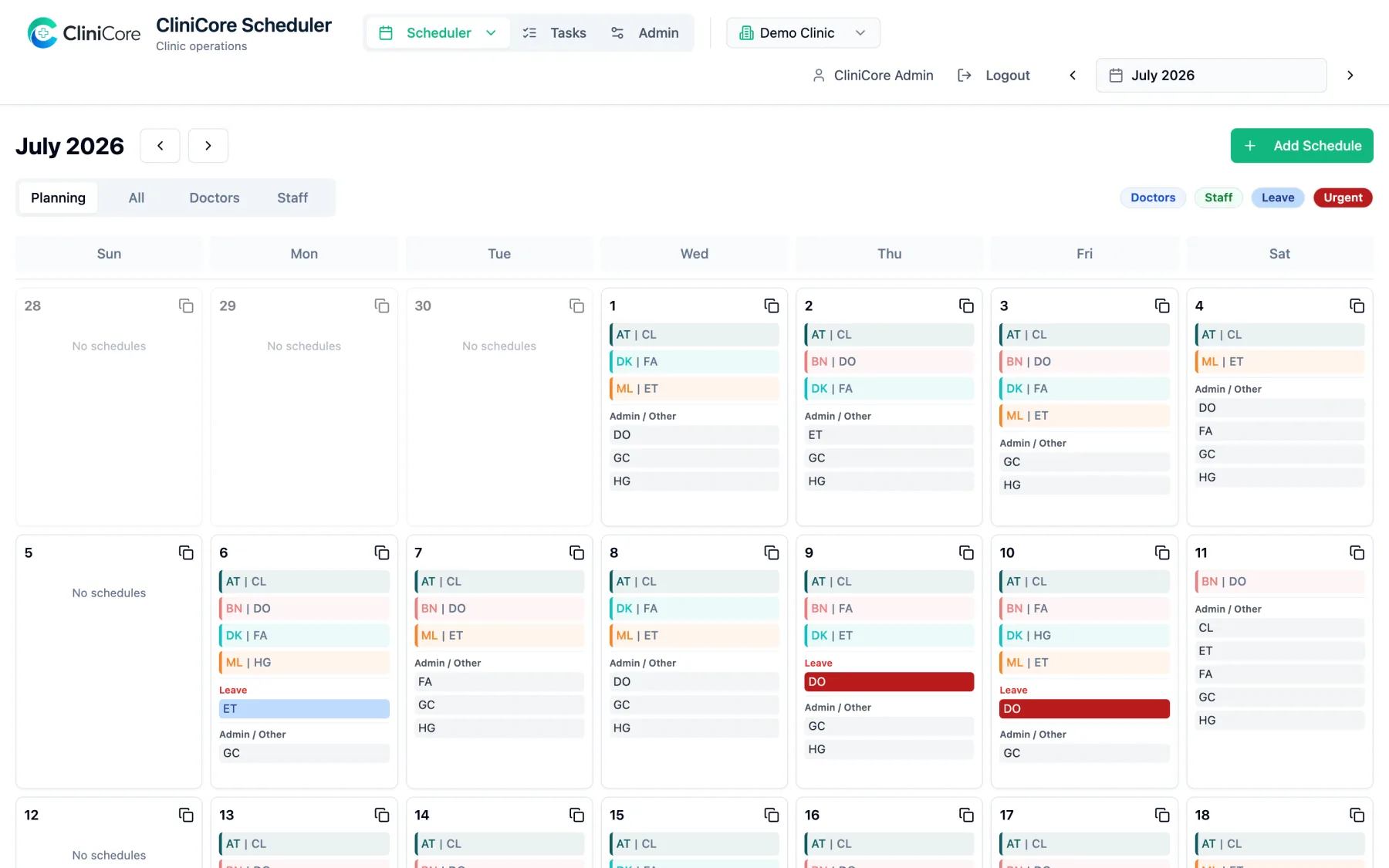
Plan the month like a rota
The planning view turns the calendar into a rota: each day lists its doctor-assistant pairs and duty staff as compact chips, with leave and MC called out in red. Copy a day forward, spot missing cover early, and click into any day for the full picture.
- ✓Every day lists its doctor-assistant pairs and duty staff as chips
- ✓Leave and MC called out in red on the day they land
- ✓Planning, All, Doctors and Staff tabs on the same calendar
- ✓Copy a day's pattern forward to plan repeating weeks fast
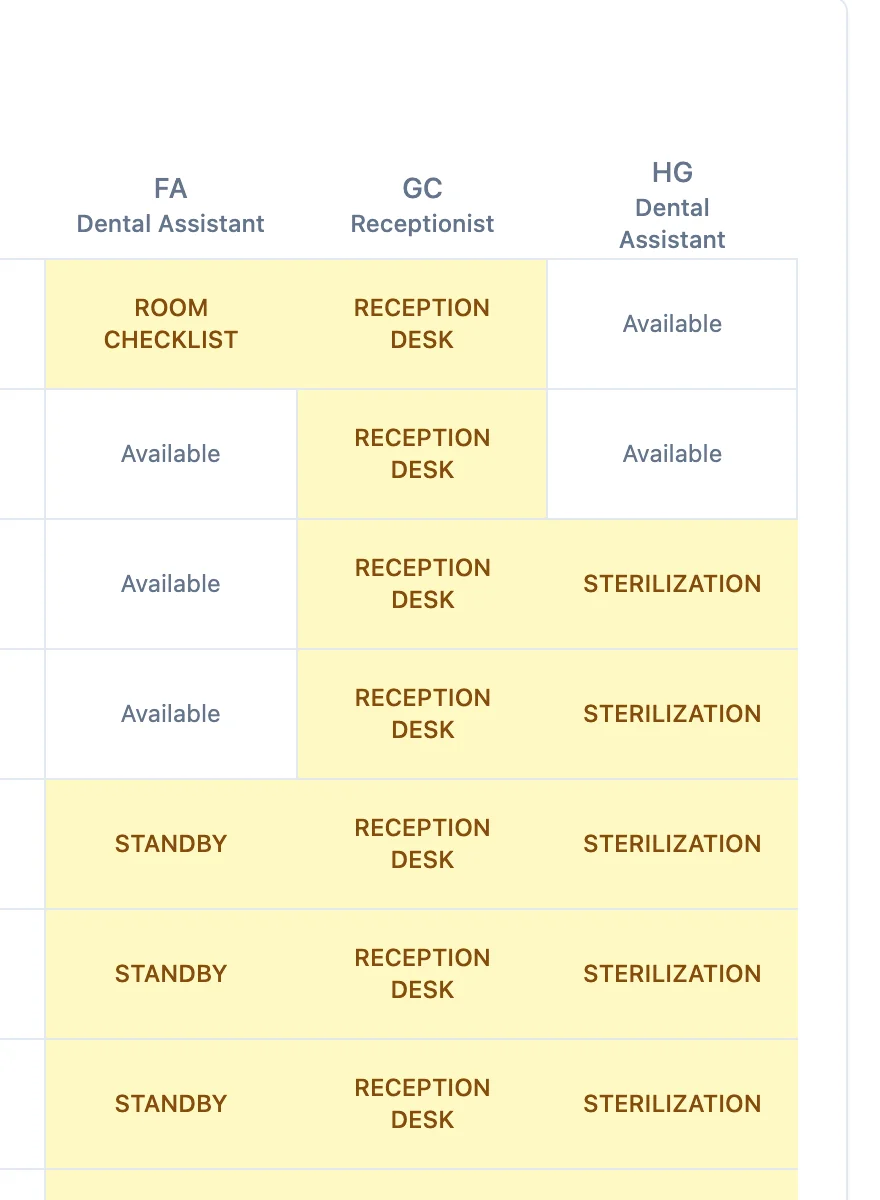
Duties are schedule too
Reception desk shifts, sterilization runs, stock counts, standby cover, training - the operational work that keeps a clinic safe lives on the same board as the clinical day, in its own colour, so it never masquerades as patient time and never gets forgotten.
- ✓Reception desk, sterilization, stock counts, standby and training as blocks
- ✓Duty blocks wear their own colour - never mistaken for patient time
- ✓Duty types are managed once in Admin and reused every day
- ✓Assistants without a doctor that day get standby cover, visibly
Two clicks to schedule anything
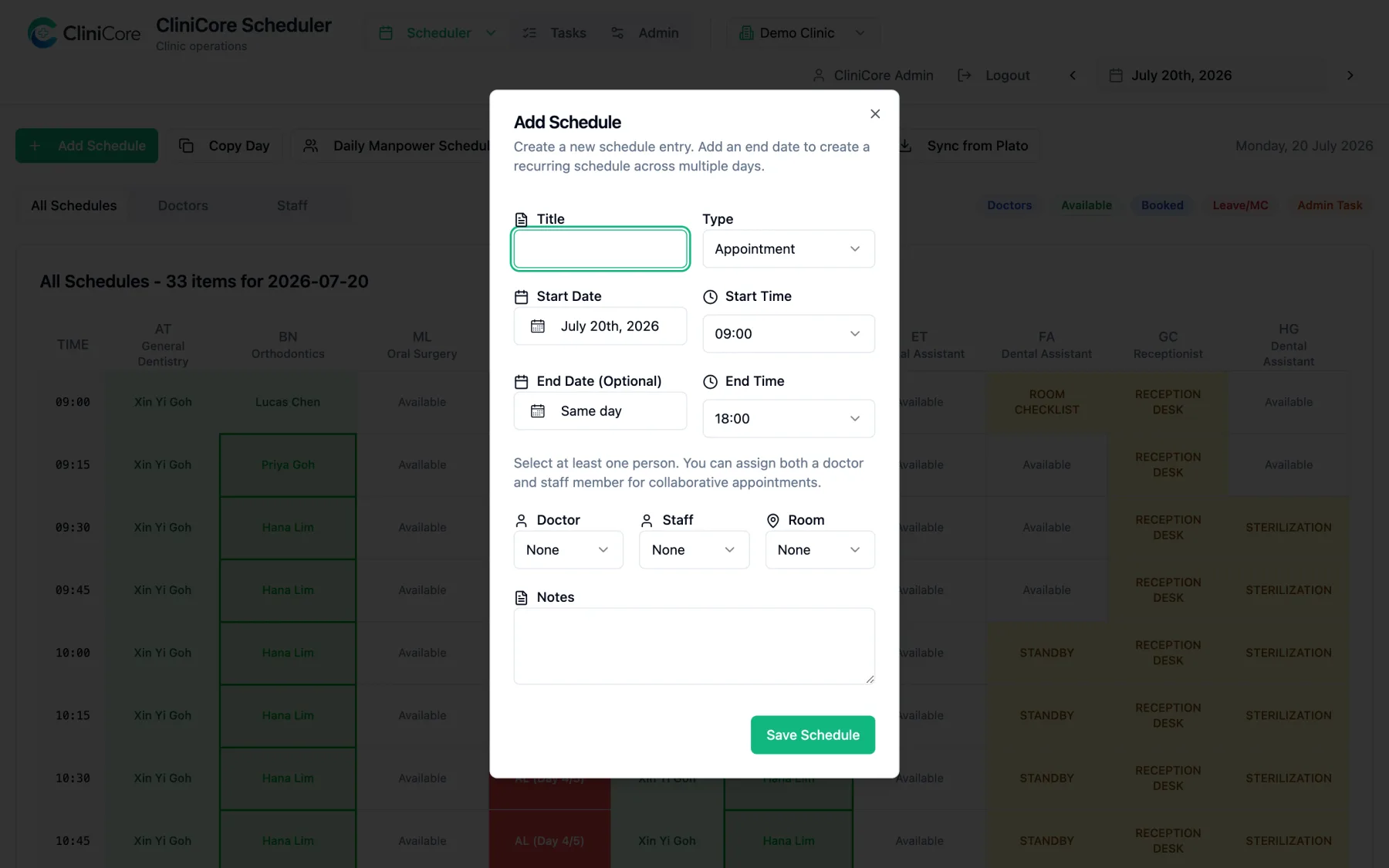
Click any open slot: title, type, times, doctor, assistant, room, notes - saved. An optional end date turns one entry into a multi-day block, which is how a week of leave is entered once instead of five times. Copy Day duplicates a day's pattern onto another date, and Extract as Image exports the board to share in the team chat.
- ✓Title, type, times, doctor, assistant, room and notes in one dialog
- ✓An optional end date turns one entry into a multi-day block
- ✓Copy Day duplicates a whole day's pattern onto another date
- ✓Extract as Image exports the board as a picture for the team chat
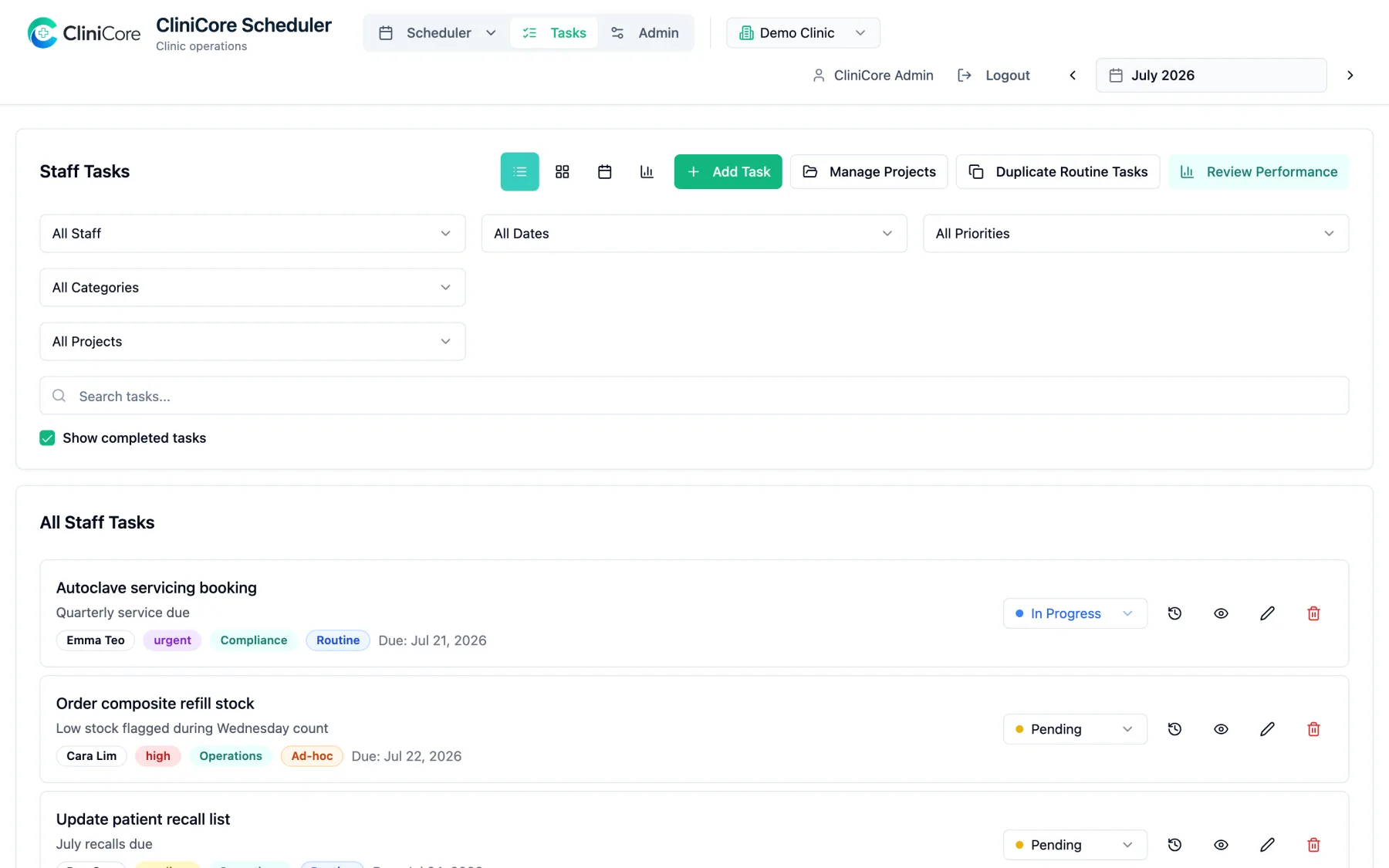
Tasks, tracked to done
Beyond the calendar, every task has an owner, a priority, a deadline and a status - pending, in progress, review, completed. Routine work duplicates itself month to month, and Review Performance shows what was completed on time, late, or is quietly overdue - with ratings when you want them.
- ✓Owner, priority, category and deadline on every task
- ✓Statuses that match real work - pending, in progress, review, completed
- ✓Routine tasks duplicate themselves month to month
- ✓Review Performance shows on-time, late and overdue, with ratings
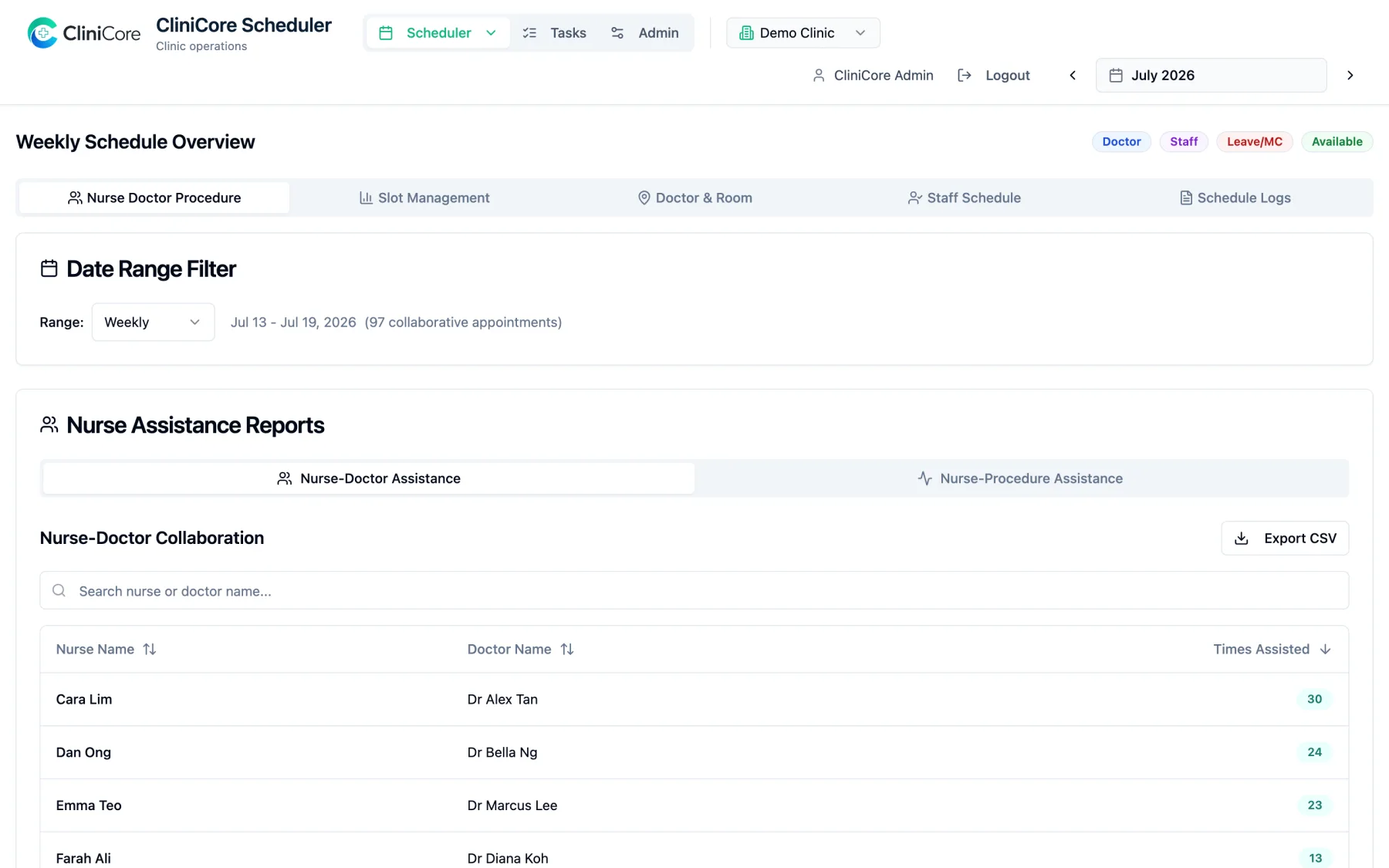
Reports the roster can stand on
Who assisted whom, and how often? Which slots go unused? What changed on the schedule, and who changed it? Collaboration counts, slot management and a full schedule change log - filterable, sortable, exportable to CSV.
- ✓Nurse-doctor collaboration counts, searchable and sortable
- ✓Slot management shows where bookable hours go unused
- ✓A full schedule change log - what changed, when, and by whom
- ✓One-click CSV export on every report
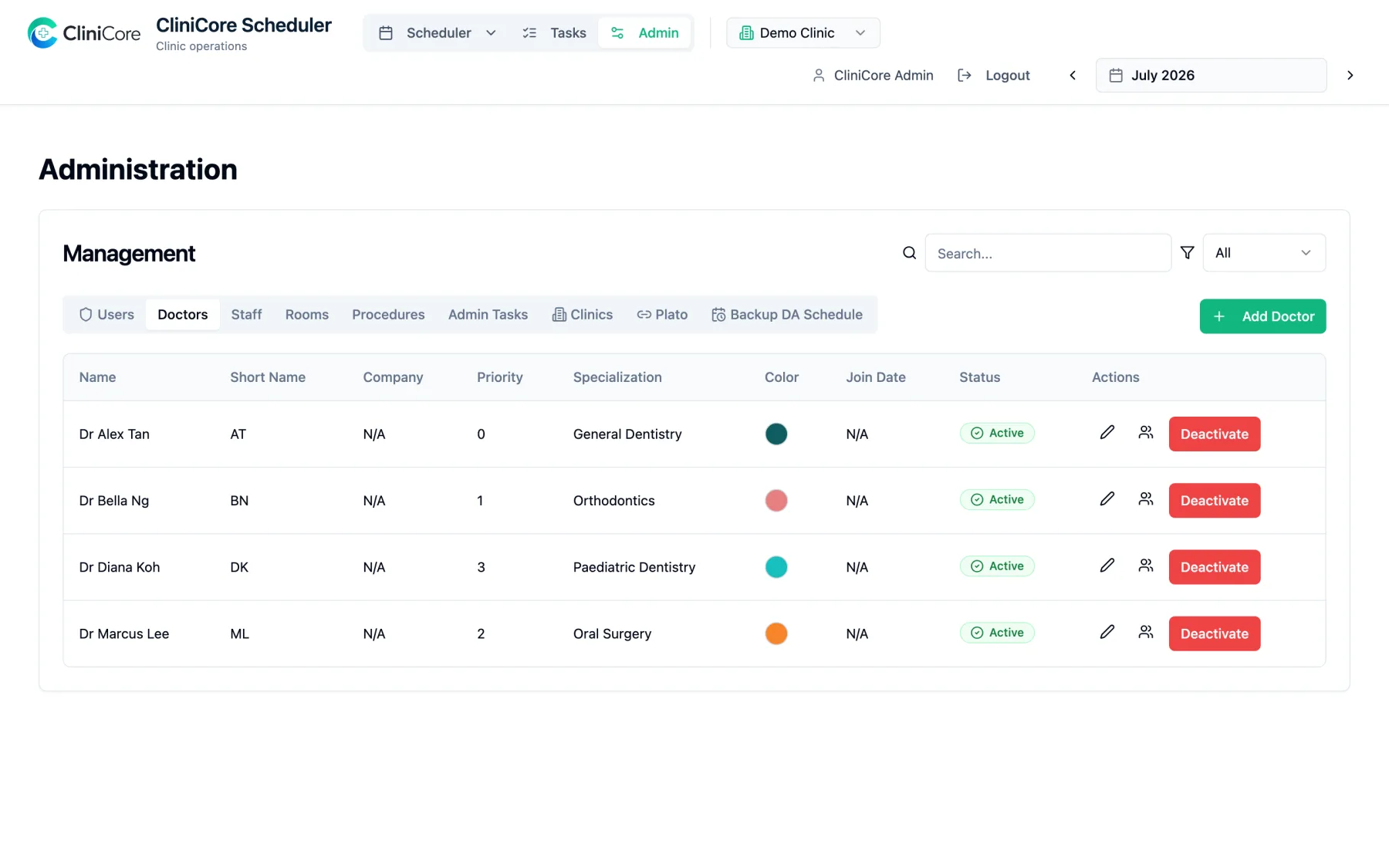
Set up once, run every day
Doctors, staff, rooms, procedures, duty types and clinics are managed in one Admin area with role-based access - admins manage users, clinic in-charge run their own clinic, office staff see their day. Built multi-clinic from day one: switch clinics from the header and every view follows.
- ✓Doctors, staff, rooms, procedures, duty types and clinics in one place
- ✓Role-based access - admin, operations, clinic in-charge, office staff
- ✓Plato calendar mapping and backup assistant ranks are set here once
- ✓Multi-clinic from day one - switch clinics and every view follows
See it with your own roster
Everything above runs today - the screenshots are a live demo clinic, not mockups. Bring your clinic's real week and we will show you how it looks on the board, and what the Plato sync does with your own calendars.
Keep reading
Put your clinic's week on the board
Tell us how your clinic schedules today - Plato, spreadsheets or the whiteboard - and we will show you the same week in CliniCore.